Tutorials · Lesson 11 of 13
Pullboard view
Pullboard view is where you watch and steer. One page on your machine shows every project, live: what is ready, who is on what, what came back and why, and the calls that need you, each one settled from the same page.
By Pullboard view, we mean:
- One page for every project: on 127.0.0.1, behind a secret link.
- Rulings: decisions passed up, rows to approve, held lanes.
- Actions: add items, answer, shout, hold a lane.
- Live: it updates as agents claim, submit and verify.
Every project, live
Items, shouts, spec, doctrine and activity, and the calls that need you.
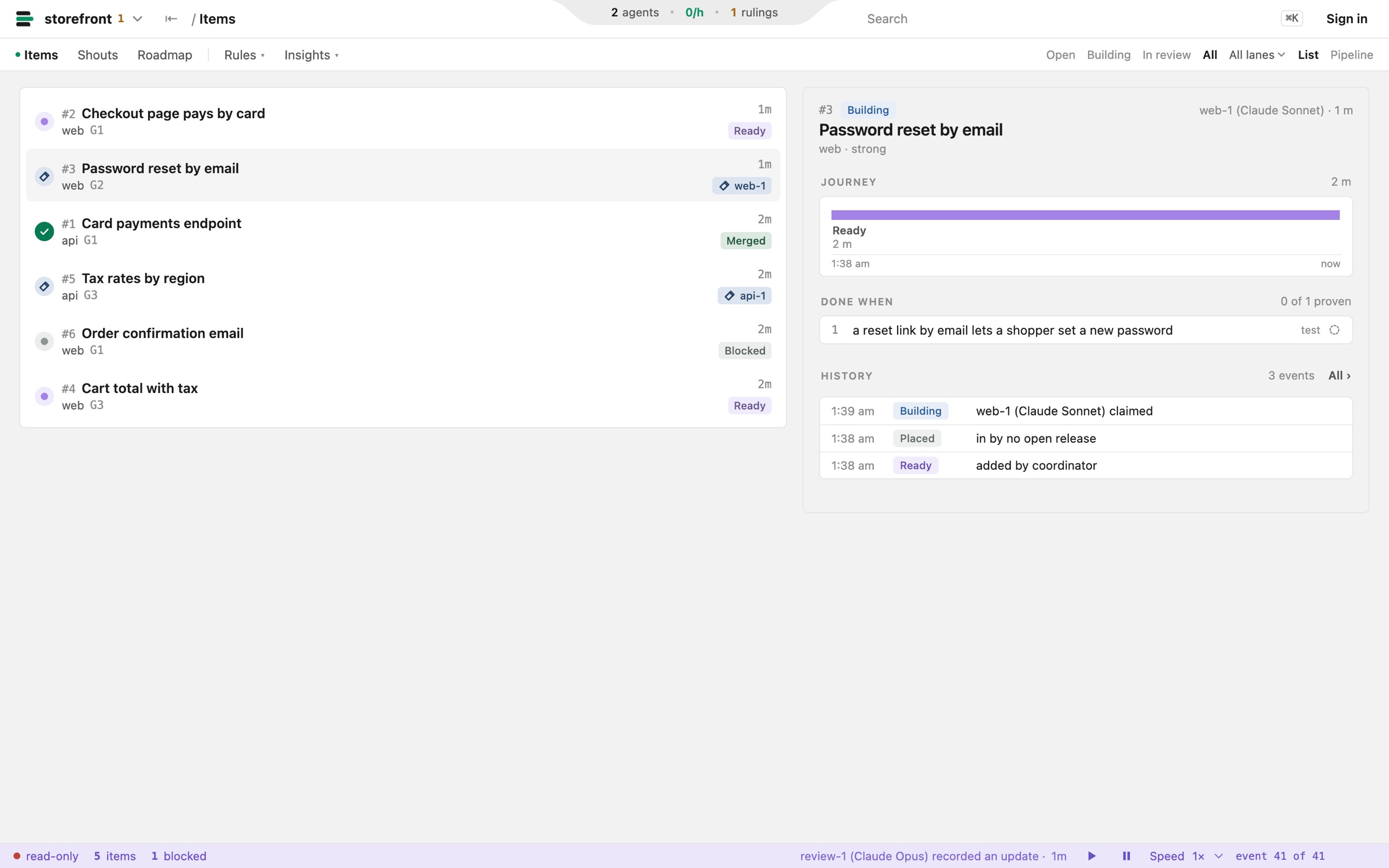
Act from the board
Add items, answer decisions, shout to a lane and hold a lane.
- RulingsDecisions passed up, rows to approve, held lanes.
- ActivityEvery claim, submit and verdict, with the reason for a reject.
- On your machineIt listens on 127.0.0.1, behind a secret link it prints.
Try it
Open it, or print its link instead.
$ pullboard view             # opens every project in your browser
$ pullboard view --no-open   # prints the secret link, opens nothing