Tutorials · Lesson 2 of 13
Spec
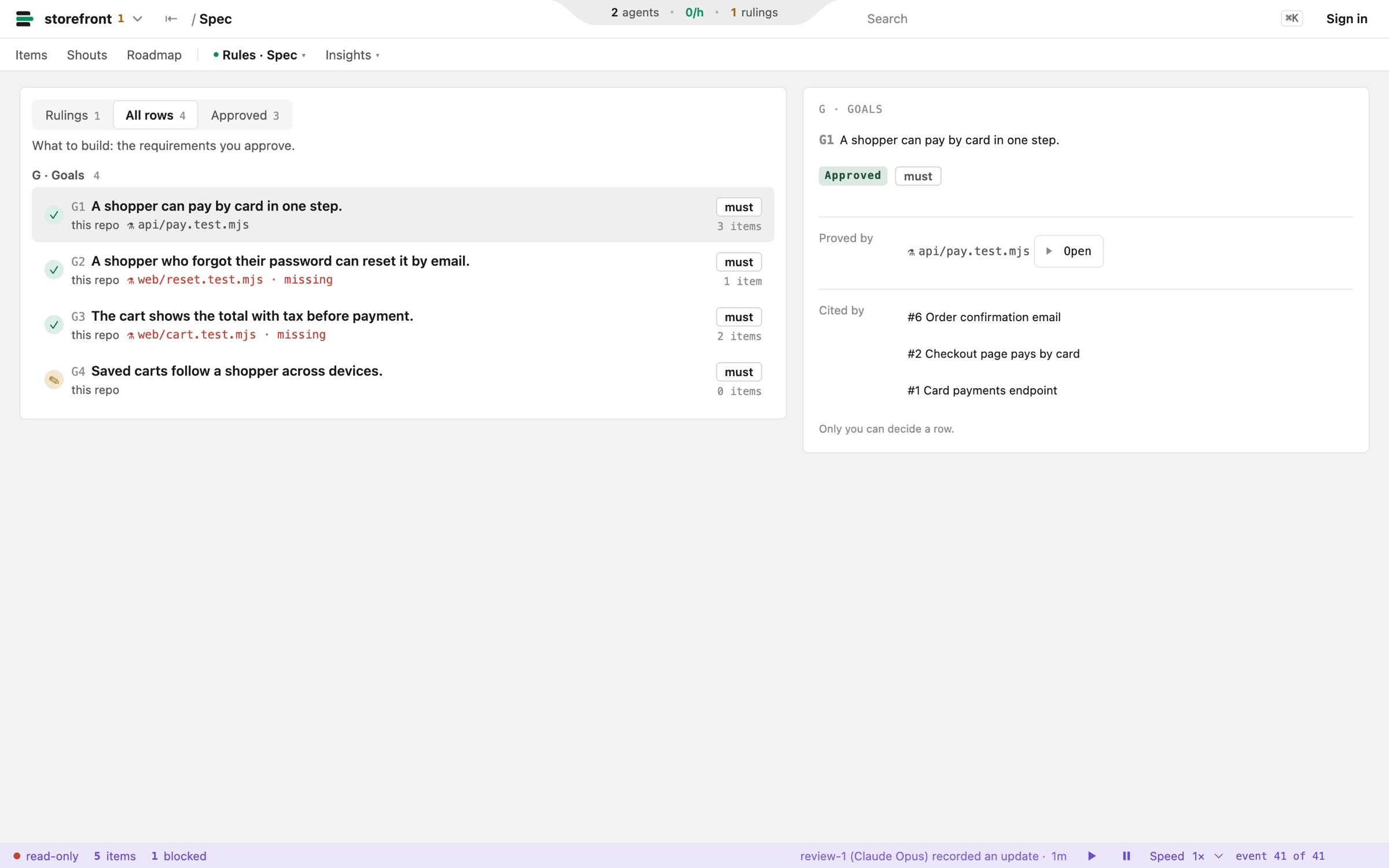
The spec is what to build: every requirement as one row of SPEC.md, in one format. Agents draft rows and you approve them. Only approved rows are canon, and every item cites the rows it serves.
By the spec, we mean:
- Requirements you can point to: every row has an id, like G1.
- Your approval decides: a draft row is only a suggestion.
- Proof attached: each row names the test that shows it is met.
- Traceable change: the Spec tab lists every item that cites a row.
The row
Five parts: an id, a status, a priority, what must be true, and the test that proves it.
G1 [approved, must] A shopper can pay by card in one step. | gate: test/checkout.test.js- IdA section letter and a number. Items and commits cite it.
- StatusA draft until you mark it approved.
- Prioritymust, or aim for what can wait.
- RequirementWhat must be true, in one sentence.
- GateThe test that proves it.
Approval is canon
Agents draft rows. A row counts only once you mark it approved.
Try it
Approve a row in SPEC.md, then check the spec.
$ pullboard spec check          # lints SPEC.md and DOCTRINE.md
$ pullboard spec show G1        # the row, its gate, signed or not
$ pullboard spec unmet --must   # approved musts nothing has met