Quickstart
Install it, watch it once, then hand your repo to your agents.
-
Install it
You need git and Node 22.13 or newer. It's pullboard on npm, from pullboard-dev/pullboard.
npm i -g pullboard -
Watch it once
Thirty seconds on a throwaway repo: an agent's work rejected, fixed, then accepted.
pullboard tour
-
Set up your repo
It writes the spec, the house rules, the agent instructions and the git hooks. Commit them.
pullboard init git add -A && git commit -m "chore: set up pullboard" -
Say what to build
Open a new Claude Code session in that folder and ask for it: “use pullboard to build a notes app.” It writes the spec with you, one question at a time, then runs a builder in each lane and a verifier that built none of it. Codex and other agents read the same rules from
AGENTS.md.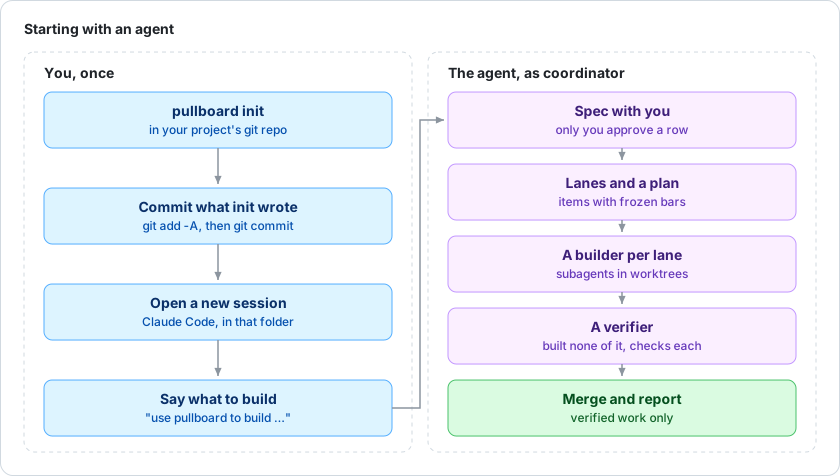
Then the loop runs itself.
Your agents type these, not you.
A builder
pullboard nexttakes the next ready task. Its bar freezes here.- It builds in its own worktree, inside its lane, and commits.
pullboard submit <id>needs a clean tree and your tests green.
A verifier
pullboard next --verifypicks up the work.- It checks out that exact commit and tries to break it.
pullboard verify <id> accept, orrejectwith the reason, and the builder fixes it.
Watch every project at once with pullboard view. Every command is in the docs.